
How to Improve or Restore Old Photos with AI
Bring your memories back to life — free and easy AI tools to repair, colorize, and enhance your photos in seconds.

Why AI Photo Restoration is a Game-Changer
We all have old photos: faded, scratched, or blurry pictures of family moments, holidays, or grandparents we never met. Until recently, restoring them required expensive software and expert skills. But now, AI photo restoration tools can do it automatically — in just a few clicks, and often for free.
Artificial Intelligence can remove scratches, fix blur, colorize black-and-white photos, and sharpen faces with impressive accuracy. Whether it’s a vintage wedding portrait or a childhood photo, you can now bring them back to life easily.
🧠 Best Free AI Tools for Restoring Old Photos
- Remini — One of the most popular AI apps for enhancing faces and details. Works great on both iPhone and Android.
- Adobe Firefly — Free online tool from Adobe that can upscale and fix imperfections with professional quality.
- Upscale.media — Perfect for sharpening and enlarging low-resolution photos without losing detail.
- ColouriseSG — Turns black-and-white images into full color automatically.
- Photopea + AI Plugins — A browser-based Photoshop alternative that lets you use AI filters to restore old photos for free.
🪄 Step-by-Step: Restore an Old Photo Using AI
- Scan or take a picture of your old photo using your phone or scanner.
- Go to Remini.ai or any AI restoration tool listed above.
- Upload your photo and choose the enhancement option (usually “restore” or “enhance”).
- Wait a few seconds — AI will analyze and automatically repair the image.
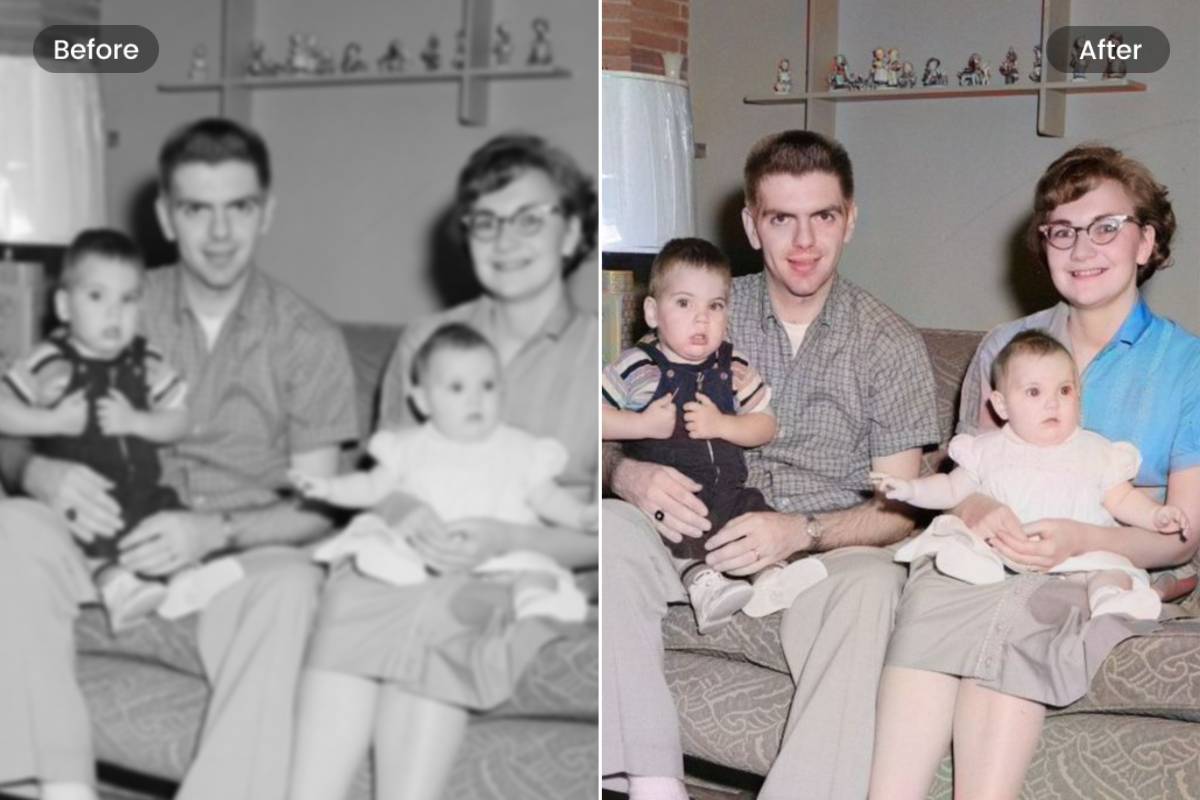
- Download the improved version and compare side by side — the difference will surprise you!
🧓 Perfect for Families and History Lovers
These AI tools aren’t just for tech experts — they’re designed to be simple. If your parents or grandparents have boxes full of old photos, you can now digitize and enhance them together. It’s an emotional and fun way to preserve family memories for future generations.
🌟 Pro Tips for Better Results
- Use high-quality scans or photos (avoid glare and shadows).
- Try different tools — each AI model enhances images differently.
- Save both original and restored versions for comparison.
- Use a free app like Canva to make beautiful before/after collages.
⚙️ What’s Next? Enhancing Old Videos with AI
Just as you can restore photos, you can also improve old videos using AI. Tools like Topaz Video Enhance AI or Runway ML can upscale and colorize videos — perfect for preserving family memories in full HD.
Want More Free AI Guides?
Join our newsletter and get weekly tutorials to use AI in your everyday life — from editing photos to writing better emails.
Get the Free Guide 📨